NOOMICLONE
Swing. Let go. Find your rhythm.
Play the classic gymnastics game right in your browser.
Free browser play · No download
GET INTO THE SWING.
A few keys. Plenty to learn. Start with the basics, then experiment with your own rhythm.
Feel the motion
Use Left Arrow to arch. Watch how your character moves around the bar before adding more inputs.
Choose your moment
Press Up Arrow to let go. Try different release points and see how the path changes.
Tuck. Reset. Repeat.
Space tucks your character. Press R for another attempt, and change one thing at a time.
YOUR TIMING.
THE GAME’S PHYSICS.
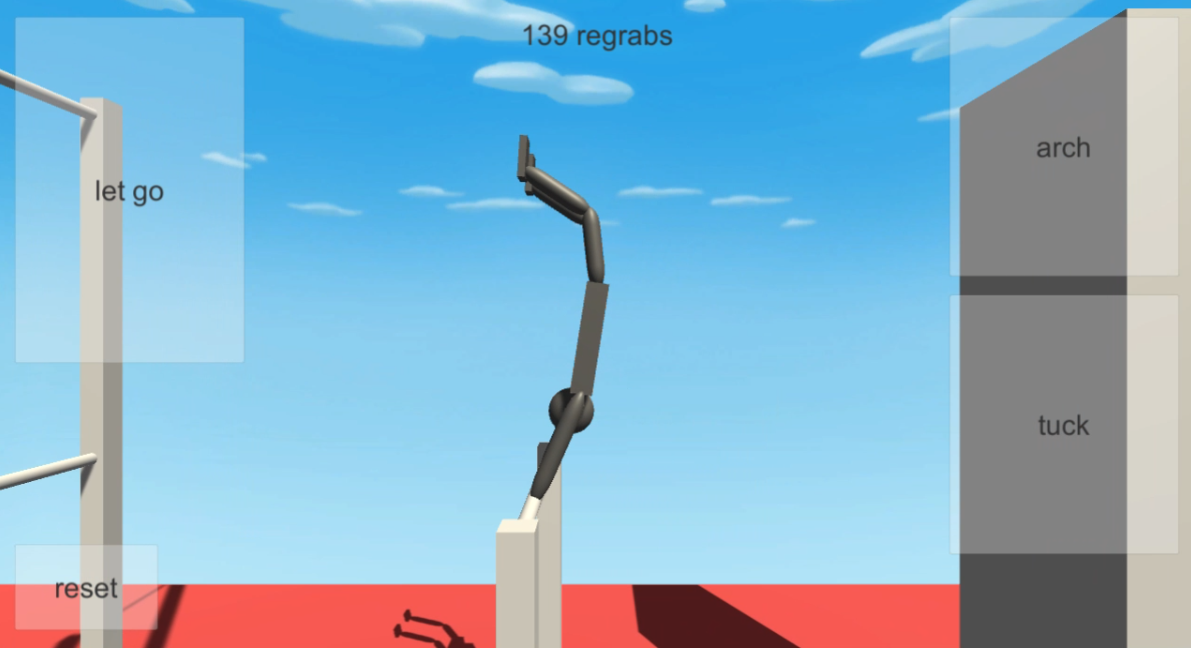
NoomiClone is a Unity physics-based bar simulation built around gymnastics and freerunning movements. Your body position and release timing shape each attempt.
This player is the classic 0.9 browser release. For the latest mobile maps and features, explore the official apps by Matthew Jones.
BROWSER & MOBILE VERSIONS ↗FIND YOUR NEXT MOVE.
NOOMICLONE QUESTIONS.
Is NoomiClone free to play online?
Yes. You can play the classic browser version on this page without an account or an app download. Click Play, let the game load, and click inside the game to give it keyboard focus.
What are the NoomiClone PC controls?
The author lists Left Arrow to arch, Space to tuck, Up Arrow to let go, and R to reset. These controls apply to the classic browser build.
Is this the same as the mobile app?
The browser player runs the classic 0.9 build. The mobile apps have their own updates, maps, settings, and features. Do not expect every mobile tutorial or replay feature to work in this browser version.
Can I play on a phone?
The site works on a small screen, but this classic WebGL game is best played on a computer with a keyboard. For touch play, use the official iOS or Android app links on our download page.
Why is the game not responding to my keys?
Click inside the game first. If Space scrolls the page, keyboard focus is outside the player. If the game freezes, use Reload below the player; for a normal restart, press R.